
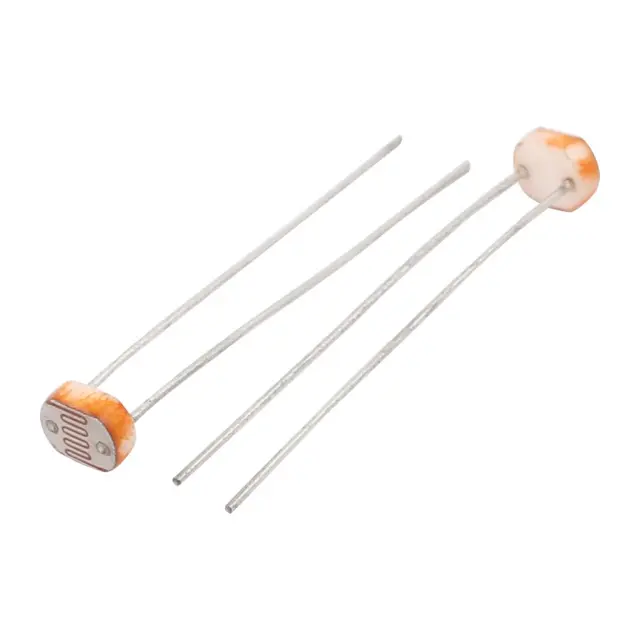
سنسورات ضوء وصوت (LDR)
اسألنا - نرد عليك على واتساب
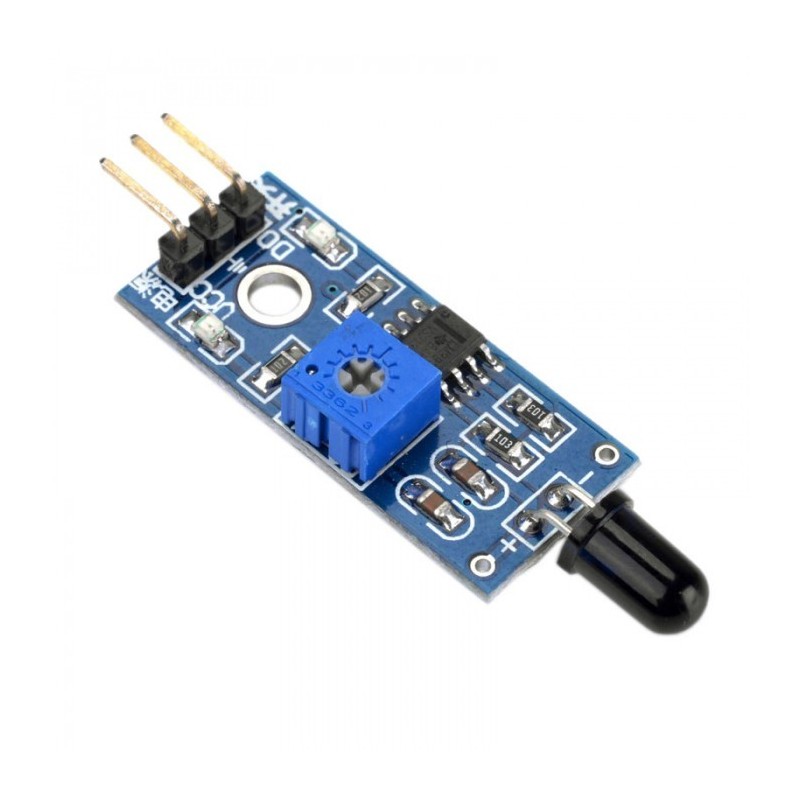
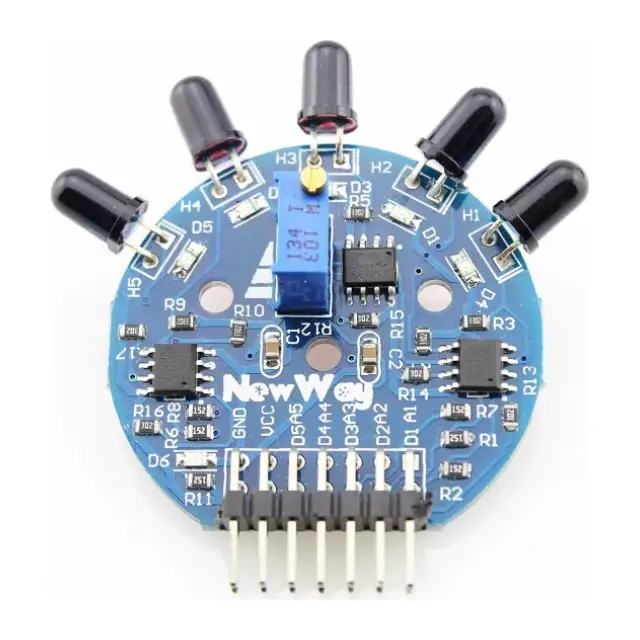
سينسور لهب 3 طرف
☆☆☆☆☆
0.0
(مفيش تقييمات)
رمز المنتج: 30542
35
ج.م
40
وفر 5 ج.م
متاح للطلب
الكمية:
يوصلك خلال 72 ساعة
دفع آمن. نقبل:
بطاقة بنكية
محفظة إلكترونية
الدفع عند الاستلام
إنستا باي
يُشترى معاً عادةً
 هذا المنتج
سينسور لهب 3 طرف
35
ج.م
الإجمالي
460
ج.م
عن هذا المنتج
Flame Sensor Module
Pre-Assembled Module
A flame sensor module that consists of a flame sensor (IR receiver), resistor, capacitor, potentiometer, and comparator LM393 in an integrated circuit. It can detect infrared light with a wavelength ranging from 700nm to 1000nm.The far-infrared flame probe converts the light detected in the form of infrared light into current changes. Sensitivity is adjusted through the onboard variable resistor with a detection angle of 60 degrees.
Working voltage is between 3.3v and 5.2v DC, with a digital output to indicate the presence of a signal. Sensing is conditioned by an LM393 comparator.
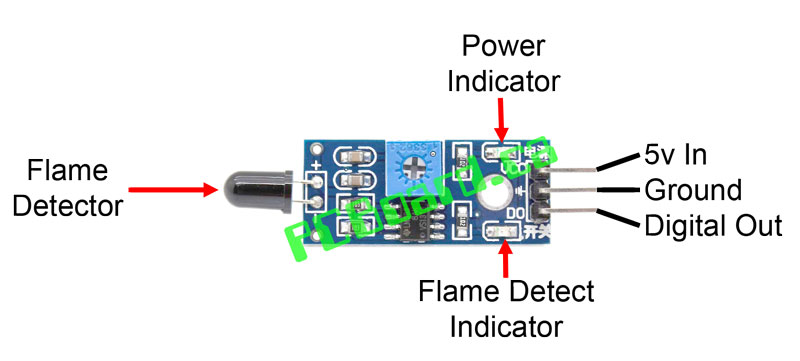
Connecting your Flame Detector to an Arduino

A very simple Arduino Sketch is shown below, and assumes you have an LED connected to Pin 13 to indicate when a flame has been detected.
// Flame Sensor Module
// Henry's Bench
int LED = 13; // Use the onboard Uno LED
int isFlamePin = 7; // This is our input pin
int isFlame = HIGH; // HIGH MEANS NO FLAME
void setup() {
pinMode(LED, OUTPUT);
pinMode(isFlamePin, INPUT);
Serial.begin(9600);
}
void loop() {
isFlame = digitalRead(isFlamePin);
if (isFlame== LOW)
{
Serial.println("FLAME, FLAME, FLAME");
digitalWrite(LED, HIGH);
}
else
{
Serial.println("no flame");
digitalWrite(LED, LOW);
}
}
Verify Operation of the Flame Detector Module and Adjust Sensitivity
Open the Serial Monitor on your Arduino program. Move a flame in and out of the viewing angle of the sensor. You should see an output that looks something like the picture below. You should also see the red LED illuminate on your module, and you should see also see the module LED connected to pin 13 of your Arduino light up.
المواصفات التقنية
لسه مفيش مواصفات مسجلة
بنسجل المواصفات التقنية للمنتج ده وهتظهر هنا أول ما تخلص.
التقييمات
0.0
☆☆☆☆☆
لسه مفيش تقييمات
5★
0
4★
0
3★
0
2★
0
1★
0
لسه مفيش تقييمات للمنتج ده
كن أول واحد يقيّمه وتساعد اللي بعدك يقرر.
الأسئلة الشائعة
لسه مفيش أسئلة على المنتج ده
أول ما توصلنا أسئلة متكررة على المنتج ده هنجاوب عليها هنا.
مش لاقي إجابتك؟
اسألنا - نرد عليك على واتساب
منتجات مرتبطة
قد يعجبك أيضاً
 متوفر
متوفر
 متوفر
متوفر
 متاح للطلب
 متوفر
متوفر
-11%
 متوفر
متوفر
متوفر
 متاح للطلب
 متوفر
متوفر
 متوفر
متوفر
35
ج.م
40
متاح للطلب - يوصلك خلال 72 ساعة